Introduction
Starting a new business in 2025? Your website isn't just a digital business card anymore—it's your 24/7 salesperson, brand ambassador, and customer service rep rolled into one. But with countless website features and trends competing for your attention, what should you actually prioritize?
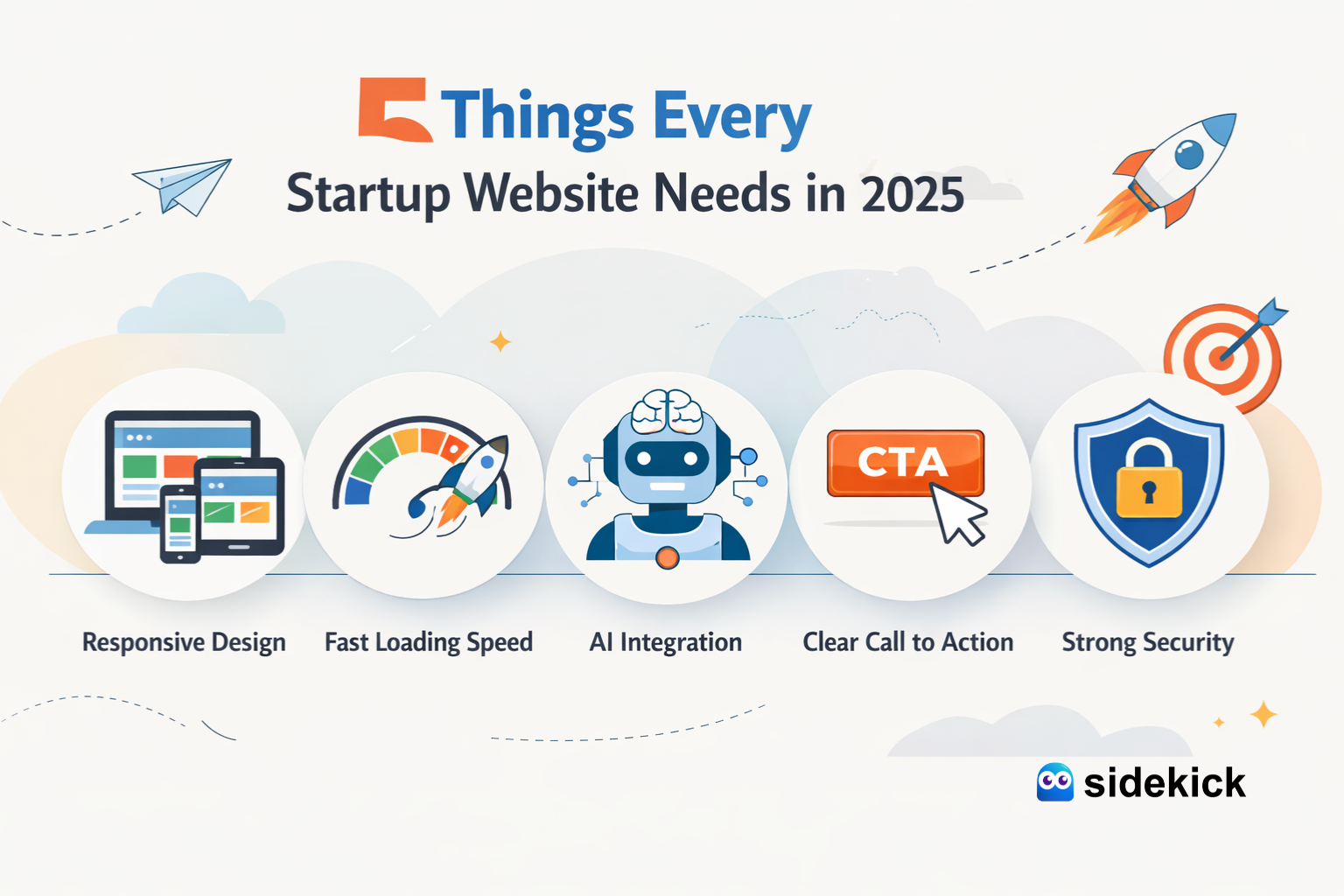
After helping hundreds of startups launch their online presence, we've identified the five non-negotiable elements every startup website must have to succeed in 2025. Whether you're a solopreneur launching your first venture or a growing team looking to revamp your digital presence, these essentials will set your foundation for success.
1. Mobile-First Responsive Design (Not Mobile-Friendly—Mobile-First)
Why It Matters in 2025:
The stats don't lie: over 60% of web traffic now comes from mobile devices, and Google's mobile-first indexing means your site's mobile version is what determines your search rankings. But here's what most startups miss: mobile-first isn't the same as mobile-friendly.
What You Actually Need:
- Touch-optimized navigation: Large, thumb-friendly buttons and menus
- Lightning-fast load times: Mobile users abandon sites that take longer than 3 seconds to load
- Simplified forms: Auto-fill enabled, minimal required fields
- Readable typography: No pinch-to-zoom required for any text
- Click-to-call buttons: One tap to reach your business
- Mobile-optimized images: Compressed without quality loss
The Startup Reality:
You don't need to hire a separate mobile app developer. Modern website platforms can deliver seamless mobile experiences through responsive design. The key is testing your site on actual mobile devices—not just resizing your browser window.
Pro Tip: Use Google's Mobile-Friendly Test tool and aim for a PageSpeed Insights score of 90+ on mobile. Your mobile experience should be better than your desktop version, not just "good enough."
2. Clear Value Proposition Above the Fold
Why It Matters in 2025:
You have approximately 3-5 seconds to communicate what you do before a visitor bounces. In 2025's attention economy, that hero section better work hard.
What You Actually Need:
Your homepage hero should answer three questions immediately:
- What do you do? (In 10 words or less)
- Who is it for? (Your specific target audience)
- What's the benefit? (The transformation you provide)
Examples That Work:
❌ Bad: "We provide innovative solutions for businesses." ✅ Good: "Launch your professional website in 7 days. Fully managed, $79/month."
❌ Bad: "The future of productivity." ✅ Good: "Accounting software for freelancers who hate spreadsheets."
The Startup Reality:
Most founders make their value proposition too clever or too vague. Your grandmother should understand what you do from reading your homepage. If you're using buzzwords like "innovative," "revolutionary," or "next-gen," you're probably being too vague.
Action Steps:
- Write your value proposition in one sentence
- Test it on 5 people outside your industry
- If they can't immediately explain what you do, rewrite it
- Place it prominently above the fold with a clear CTA button
3. Built-In SEO Foundation (Beyond Just Keywords)
Why It Matters in 2025:
Organic search drives 53% of all website traffic. But SEO in 2025 isn't about stuffing keywords—it's about technical excellence and user experience.
What You Actually Need:
Technical SEO Essentials:
- Fast loading speeds: Under 2.5 seconds for First Contentful Paint
- Clean URL structure: No random parameters or session IDs
- Proper heading hierarchy: H1, H2, H3 in logical order
- XML sitemap: Submitted to Google Search Console
- SSL certificate: HTTPS is mandatory, not optional
- Schema markup: Helps search engines understand your content
On-Page SEO Basics:
- Meta titles: 50-60 characters, includes primary keyword
- Meta descriptions: 150-160 characters, compelling and descriptive
- Alt text for images: Descriptive and keyword-relevant
- Internal linking: Connect related pages naturally
- Mobile optimization: Responsive design + fast mobile speeds
Content SEO Strategy:
- Blog section: Fresh, helpful content targeting long-tail keywords
- FAQ pages: Answer common customer questions
- Location pages: If you serve specific geographic areas
The Startup Reality:
Don't obsess over keyword density or pay for expensive SEO tools yet. Focus on creating genuinely helpful content that answers your customers' questions. Google's algorithm is sophisticated enough to understand context—write for humans first.
Pro Tip: Target long-tail keywords specific to your niche. Instead of competing for "website design" (massive competition), target "website design for yoga studios in Austin" (much more achievable and higher-converting).
4. Frictionless Conversion Paths
Why It Matters in 2025:
Your website's job isn't to look pretty—it's to convert visitors into customers. Every element should guide users toward taking action.
What You Actually Need:
Strategic CTAs (Calls-to-Action):
- Primary CTA: One main action you want visitors to take
- Secondary CTA: Alternative action for those not ready to commit
- Placement: Multiple locations without being pushy
- Design: Contrasting colors, action-oriented copy
- Copy: Specific and benefit-focused ("Start Your Free Trial" beats "Submit")
Simplified Contact Options:
- Live chat or chatbot: Instant answers to common questions
- Contact forms: 3-5 fields maximum (name, email, message)
- Click-to-call buttons: Especially important for mobile users
- Booking calendars: For service-based businesses (Calendly integration)
- Email links: Sometimes simple is best
Trust Builders:
- Customer testimonials: Real names, photos, specific results
- Case studies: Detailed success stories
- Trust badges: Security certificates, payment logos, awards
- Social proof: "Join 1,000+ happy customers"
- Money-back guarantee: Reduces purchase anxiety
The Startup Reality:
You don't need complex funnels and automation yet. Start with one clear path to conversion and optimize from there. Use heat mapping tools (like Hotjar's free plan) to see where visitors are getting stuck.
Conversion Optimization Checklist:
- Can visitors complete your main CTA in under 30 seconds?
- Do you have clear next steps on every page?
- Are forms asking for only essential information?
- Do CTAs use action words (Get, Start, Join vs. Submit, Enter)?
- Is your value proposition visible on every page?
5. Scalable Platform with Built-In Growth Features
Why It Matters in 2025:
Your website today should support your business tomorrow. Building on a platform that can't grow with you means costly migrations later.
What You Actually Need:
Core Platform Features:
- Content management system: Easy updates without coding
- E-commerce ready: Add products/services as you grow
- Blog functionality: For content marketing and SEO
- Email integration: Connect with MailChimp, ConvertKit, etc.
- Analytics integration: Google Analytics, Facebook Pixel
- Form builders: Capture leads with custom forms
Growth-Ready Capabilities:
- Multi-language support: For international expansion
- Custom domains and subdomains: blog.yoursite.com, app.yoursite.com
- API integrations: Connect with CRM, payment processors, tools
- Membership areas: For exclusive content or SaaS products
- A/B testing: Optimize conversions over time
- Backup and security: Automated daily backups
Add-On Services You'll Want:
- Professional copywriting: When your DIY copy isn't converting
- Advanced SEO: Technical audits and optimization
- Social media graphics: Maintain brand consistency
- Email marketing campaigns: Nurture leads automatically
- Chatbot implementation: AI-powered customer service
- Video content: Reels, testimonials, product demos
The Startup Reality:
Don't build everything at once, but choose a platform that won't limit you. A DIY website builder might seem cheaper now, but if you have to rebuild from scratch in 6 months because you've outgrown it, you've wasted time and money.
Platform Decision Framework:
Choose DIY builders (Wix, Squarespace) if:
- You have time to learn and manage it yourself
- Your needs are very simple and unlikely to change
- You're comfortable with design and tech
- Budget is extremely tight (under $20/month)
Choose website subscription services if:
- You want to focus on running your business, not managing your website
- You need professional design without hiring an agency
- You want ongoing support and updates included
- You anticipate adding features as you grow
- You value time over money
Avoid traditional agencies if:
- You're a startup with limited budget ($5,000+ upfront costs)
- You need regular updates and changes (expensive per-hour fees)
- You want direct control over your content
Bonus: What You DON'T Need (Yet)
Save these for when you have revenue:
- Complex animations and interactions: Beautiful but not essential for conversion
- Custom illustrations: Stock photos work fine initially
- Multi-page mega menus: Keep navigation simple
- Video backgrounds: They slow load times and distract
- Fancy parallax scrolling: Looks cool but doesn't increase sales
- Dozens of integrations: Start with 2-3 core tools
Focus on fundamentals first: A simple, fast, mobile-optimized website with clear messaging will outperform a slow, beautiful site every time.
How to Actually Get Your Startup Website Built
You've got three main options:
Option 1: DIY Website Builders
Cost: $12-50/month Time: 20-40 hours of your time Best for: Solo entrepreneurs with design skills and time to spare
Option 2: Hire a Traditional Agency
Cost: $5,000-25,000 upfront Time: 6-12 weeks Best for: Established businesses with significant budgets
Option 3: Website Subscription Service
Cost: $79-299/month (all-inclusive) Time: 7-10 days to launch Best for: Startups that need professional results without the agency price tag or DIY learning curve
The Modern Approach: Subscription-Based Website Services
This is where the market has evolved significantly. Platforms like Sidekick have disrupted the traditional agency model by offering:
What's Included (for around $79/month):
- Custom professional design (no templates)
- Hosting and domain included
- Unlimited website updates
- Chat support for questions
- Mobile-responsive design
- Basic SEO optimization
- SSL certificate (security)
- Add-ons available as you grow (SEO, chatbots, social media content)
Why This Model Works for Startups:
- Low risk: Cancel anytime, no long-term contracts
- Professional quality: Real designers, not templates
- Fully managed: No technical skills required
- Predictable costs: Budget-friendly monthly fee
- Fast launch: Live in 7-10 days
- Scalable: Add features through add-ons when ready
Real Talk: What Most Startups Get Wrong
After working with hundreds of startups, here are the mistakes we see repeatedly:
❌ Perfectionism paralysis: Waiting months to launch the "perfect" website ✅ Do this instead: Launch with a solid foundation and iterate based on real user feedback
❌ Feature bloat: Trying to build everything before launch ✅ Do this instead: Start with these 5 essentials and add features as your business proves product-market fit
❌ DIY everything: Spending 60 hours building a mediocre website ✅ Do this instead: Focus your time on your core business and let professionals handle your web presence
❌ Ignoring mobile: Designing desktop-first and adapting poorly to mobile ✅ Do this instead: Design and test on mobile devices throughout the process
❌ Vague messaging: Using buzzwords instead of clear benefits ✅ Do this instead: Explain what you do in simple terms your grandmother would understand
Your 30-Day Website Launch Plan
Week 1: Planning
- Define your value proposition (1 day)
- Research competitors (1 day)
- Gather content (photos, copy, testimonials) (3 days)
Week 2: Design & Build
- Select platform or service (1 day)
- Work with designer on layout (3-4 days)
- Review and provide feedback (2-3 days)
Week 3: Content & Testing
- Add your content and copy (2 days)
- SEO optimization (meta tags, alt text) (1 day)
- Mobile testing on multiple devices (1 day)
- Speed optimization (1 day)
Week 4: Launch & Promote
- Final review and edits (1 day)
- Go live (1 day)
- Set up Google Analytics and Search Console (1 day)
- Share on social media and with network (ongoing)
Conclusion: Action Steps
Your startup website doesn't have to be complicated or expensive—it just needs to work.
Start here:
- Assess your current situation: Do you have a website? Does it have these 5 essentials?
- Choose your path: DIY, agency, or subscription service based on your budget, timeline, and skills
- Focus on conversion: Every element should guide visitors toward taking action
- Launch quickly: Don't let perfection stop you from getting online
- Iterate based on data: Use analytics to improve over time
Remember: Your first website doesn't have to be your forever website. The goal is to get online professionally and start generating leads and customers. You can always improve and add features as your business grows.
Ready to build your startup website the smart way?
Skip the expensive agency fees and DIY learning curve. Get a professional, custom website designed specifically for your brand—hosted, maintained, and updated for one simple monthly fee.
→ Learn more about subscription-based website services at Sidekick
About the Author: This guide is brought to you by the team at Sidekick, where we've helped hundreds of startups, coaches, boutique brands, and home entrepreneurs launch professional websites in days, not months—without breaking the bank.