
Published: 10 february 2026 | Reading Time: 16 minutes | Author: Sidekick Team
Quick Answer
A Website Maintenance Service keeps your site secure, fast, and reliable by handling updates, backups, security monitoring, performance checks, SEO fixes, and content/UX improvements on a schedule—so your website keeps bringing leads and sales instead of creating problems.
Table of Contents
- Quick Answer
- Why website maintenance matters more in 2026 (USA focus)
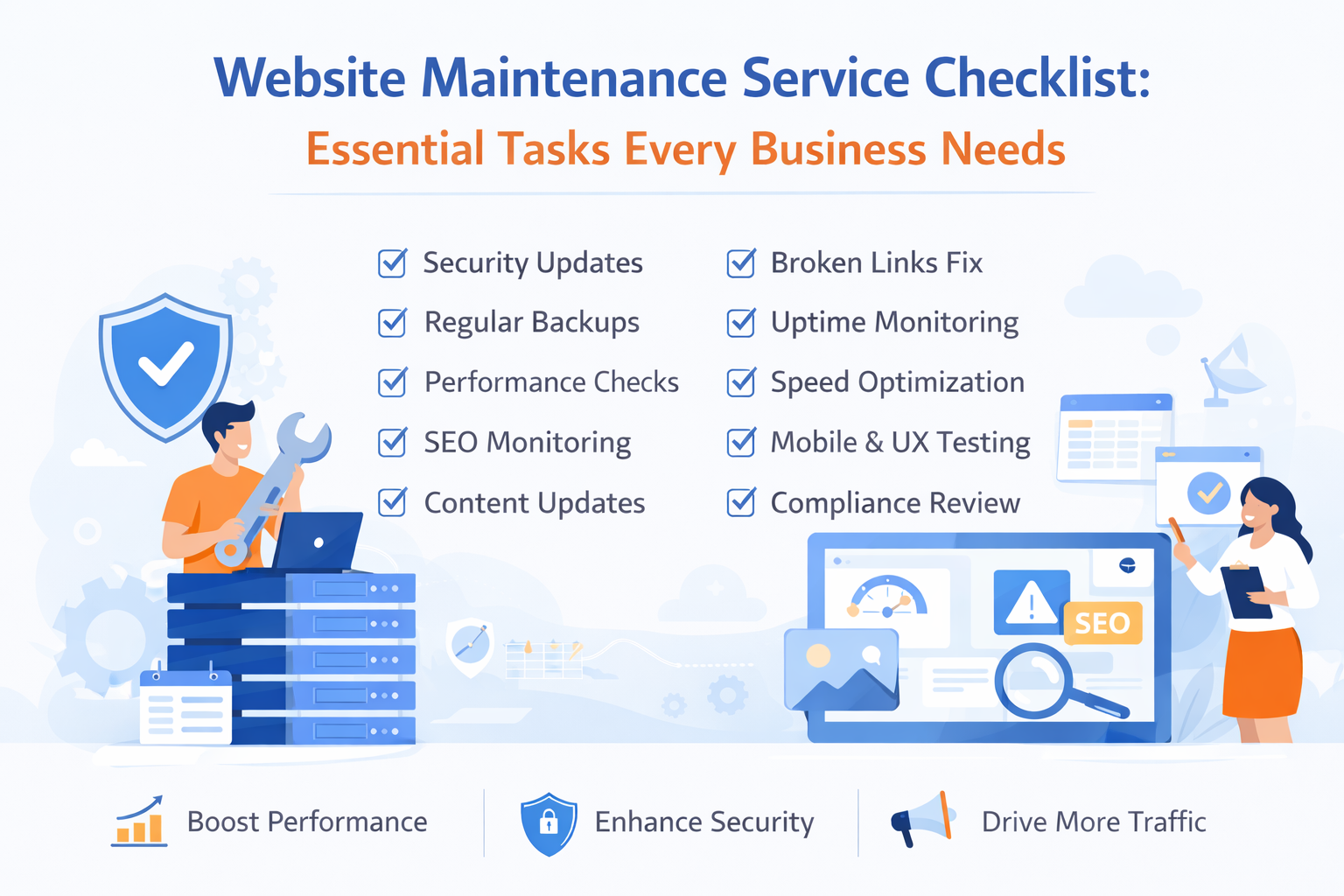
- The Website Maintenance Service Checklist (essential tasks)
- 1) Security updates (Weekly)
- 2) Backups + restore testing (Weekly + Monthly)
- 3) Uptime monitoring + incident response (24/7)
- 4) Performance checks (Weekly)
- 5) SEO health monitoring (Weekly + Monthly)
- 6) Content freshness (Monthly)
- 7) Lead + sales tracking (Monthly)
- 8) SMO and brand consistency checks (Monthly)
- 9) Website design + UX checks (Quarterly)
- 10) Compliance and privacy checks (Quarterly)
- A simple “growth chart” example (why maintenance pays)
- Sidekick USA case study (service-provider view)
- Why SaaS businesses push maintenance harder in 2026
- How to choose the right Website Maintenance Service provider
- Want Sidekick to run this checklist for you?
- Conclusion
Why website maintenance matters more in 2026 (USA focus)
In the USA, your website is often your #1 salesperson. It works 24/7 until something breaks. And when it breaks, it’s expensive. Downtime can cost a lot in lost revenue, productivity, and trust. Many organizations estimate downtime at $300K+ per hour (and sometimes far more), which shows why reliability is not optional.
Security risks frequently start through web apps + stolen credentials and exploited vulnerabilities exactly the issues maintenance is meant to reduce. Speed impacts conversion: research has shown a 1-second site can convert ~2.5x higher than a 5-second site (especially in ecommerce). That’s why smart businesses treat Website Maintenance Service like insurance + growth support combined. At Sidekick, we position maintenance as part of “website management services” not just fixing issues, but improving performance, SEO, and conversions continuously.
The Website Maintenance Service Checklist (essential tasks)
Below is a practical checklist you can follow weekly, monthly, and quarterly. A good Website Maintenance Service will cover most of these automatically.
1) Security updates (Weekly)
- Update CMS core (WordPress/Webflow plugins/apps/framework packages)
- Update themes/plugins/extensions
- Remove unused plugins and abandoned tools
- Review admin users and permissions
This matters because attackers often exploit known vulnerabilities and weak access controls. Verizon’s DBIR continues to highlight web app attacks and stolen credentials as common breach patterns. Pro tip: Follow patch management best practices (identify → prioritize → install → verify). NIST describes patch management as an end-to-end process, not a “click update and pray” routine.
2) Backups + restore testing (Weekly + Monthly)
A Website Maintenance Service should do:
- Automated daily/weekly backups (files + database)
- Offsite backup storage
- Monthly restore test (proof that backups actually work)
Backups are only valuable if you can restore quickly.
3) Uptime monitoring + incident response (24/7)
- Uptime checks every 1–5 minutes
- Alerts via email/Slack/SMS
- “First response” playbook: restart services, rollback, contact hosting, isolate issues
Downtime adds up fast, and even conservative estimates show huge business impact.
4) Performance checks (Weekly)
A strong Website Maintenance Service includes:
- Core Web Vitals review
- Slow page identification
- Image compression + next-gen formats
- Cache/CDN checks
- Database cleanup
Why it matters: Faster sites usually convert better, and speed influences user behavior. Portent’s research shows meaningful conversion differences across load times.
5) SEO health monitoring (Weekly + Monthly)
This is where pitch SEO comes in maintenance isn’t only technical, it’s traffic protection. Include:
- Indexing checks (pages in Google)
- Broken links and redirect errors (404/500)
- Sitemap/robots checks
- Duplicate titles/meta descriptions
- Schema validation (if you use it)
- Keyword cannibalization review for blogs
A good Website Maintenance Service prevents silent SEO damage that kills rankings over months.
6) Content freshness (Monthly)
- Update core service pages
- Refresh outdated stats and screenshots
- Add FAQs (helps conversions and SEO)
- Publish 2–4 helpful posts/month (if content marketing is a goal)
Google rewards freshness for many commercial queries, especially in competitive niches.
7) Lead + sales tracking (Monthly)
Maintenance should support marketing outcomes:
- Test all forms (contact, quote, signup)
- Check CRM integrations
- Verify email deliverability for form notifications
- Confirm conversion tracking (GA4 + Google Ads/Meta)
When tracking breaks, businesses keep spending money without visibility.
8) SMO and brand consistency checks (Monthly)
If you do social media marketing, your Website Maintenance Service should include SMO basics:
- Open Graph + Twitter/X cards (correct title, description, image)
- Social share previews on key pages
- Brand-consistent thumbnails for blogs
- CTA alignment from social → landing pages
This makes social traffic convert better.
9) Website design + UX checks (Quarterly)
Website maintenance is also about experience:
- Mobile layout review (new device sizes)
- CTA clarity and placement
- Navigation simplification
- Accessibility basics (contrast, alt text, keyboard navigation)
- Funnel review: homepage → service page → contact
A modern Website Maintenance Service should include small UX wins that improve leads without a full redesign.
10) Compliance and privacy checks (Quarterly)
- Cookie banner behavior (if needed)
- Privacy policy updates (tools and tracking changes)
- SSL certificate validity
- Security headers review (basic hardening)
A simple “growth chart” example (why maintenance pays)
Here’s a realistic way to visualize outcomes when businesses upgrade from random fixes to a structured Website Maintenance Service. The numbers below are a typical pattern we see when speed, uptime, and SEO hygiene improve—your results vary by industry and traffic.
Example trend after 90 days of consistent maintenance:
- Uptime: ~99.5% → ~99.95% (fewer outages)
- Avg. load time: ~5.0s → ~2.5–3.5s (better conversions)
- Organic clicks: +10% to +35% (less SEO “leakage”)
- Lead conversion rate: +5% to +20% (forms + UX + speed improvements)
The speed-to-conversion relationship is supported by research showing meaningful conversion differences across load times.
Sidekick USA case study (service-provider view)
Client: A US-based local services business (multi-location)
Problem: Site updates were irregular, Forms occasionally failed, Slow mobile pages, Blog posts published but SEO errors reduced growth.
What Sidekick implemented (Website Maintenance Service plan): Weekly updates + security review, Daily backups + monthly restore test, Uptime monitoring + incident response, Speed improvements, Monthly SEO health checks, SMO fixes for better social previews, Landing-page UX improvements.
Results over ~12 weeks (client-reported outcomes): Fewer “site down” incidents, Faster mobile experience, Cleaner analytics + conversion tracking, More consistent leads from organic + social campaigns.
Why this works: downtime and security risks are expensive, and web app attacks commonly involve stolen credentials and vulnerabilities—maintenance reduces exposure while improving performance.
Why SaaS businesses push maintenance harder in 2026
The SaaS industry is still expanding fast, and competition is brutal—meaning your website must perform like a product. Analyst forecasts continue to show strong public cloud growth (which underpins SaaS delivery and the tools businesses depend on). Gartner forecasted public cloud end-user spending at $675.4B in 2024 and growing further in 2025.
For SaaS and subscription businesses, a weak website = lost demos, churn risk, and wasted ad spend. That’s why SaaS teams treat Website Maintenance Service as part of revenue operations—tightly connected to SEO, marketing, and website design.
How to choose the right Website Maintenance Service provider
Use this quick checklist when hiring:
- Clear maintenance schedule (weekly/monthly/quarterly)
- Security-first approach + access control
- Backups + restore testing (not just “backups”)
- Performance reporting (speed + Core Web Vitals)
- SEO hygiene included (technical SEO checks)
- Marketing support (tracking, landing pages, SMO)
- Transparent communication + documented changes
At Sidekick, we bundle these into “website management services” so businesses don’t have to hire 3 different vendors.
Want Sidekick to run this checklist for you?
If you’re a US business owner who wants fewer website issues and more consistent leads, Sidekick can handle your Website Maintenance Service end-to-end—security, speed, SEO, updates, tracking, and ongoing improvements.
Ready to make your website dependable and growth-ready? Talk to Sidekick and turn maintenance into a real business advantage.
Conclusion
A website is never “done.” In 2026, it needs ongoing care: updates, security, backups, speed work, SEO health, marketing tracking, SMO readiness, and periodic UX upgrades. A structured Website Maintenance Service protects your rankings, improves conversions, and reduces costly surprises.
If you want a website that stays fast, safe, and lead-ready, follow the checklist above—or let Sidekick manage it as part of complete website management services.