Published: 09 february 2026 | Reading Time: 16 minutes | Author: Sidekick Team
Quick Answer
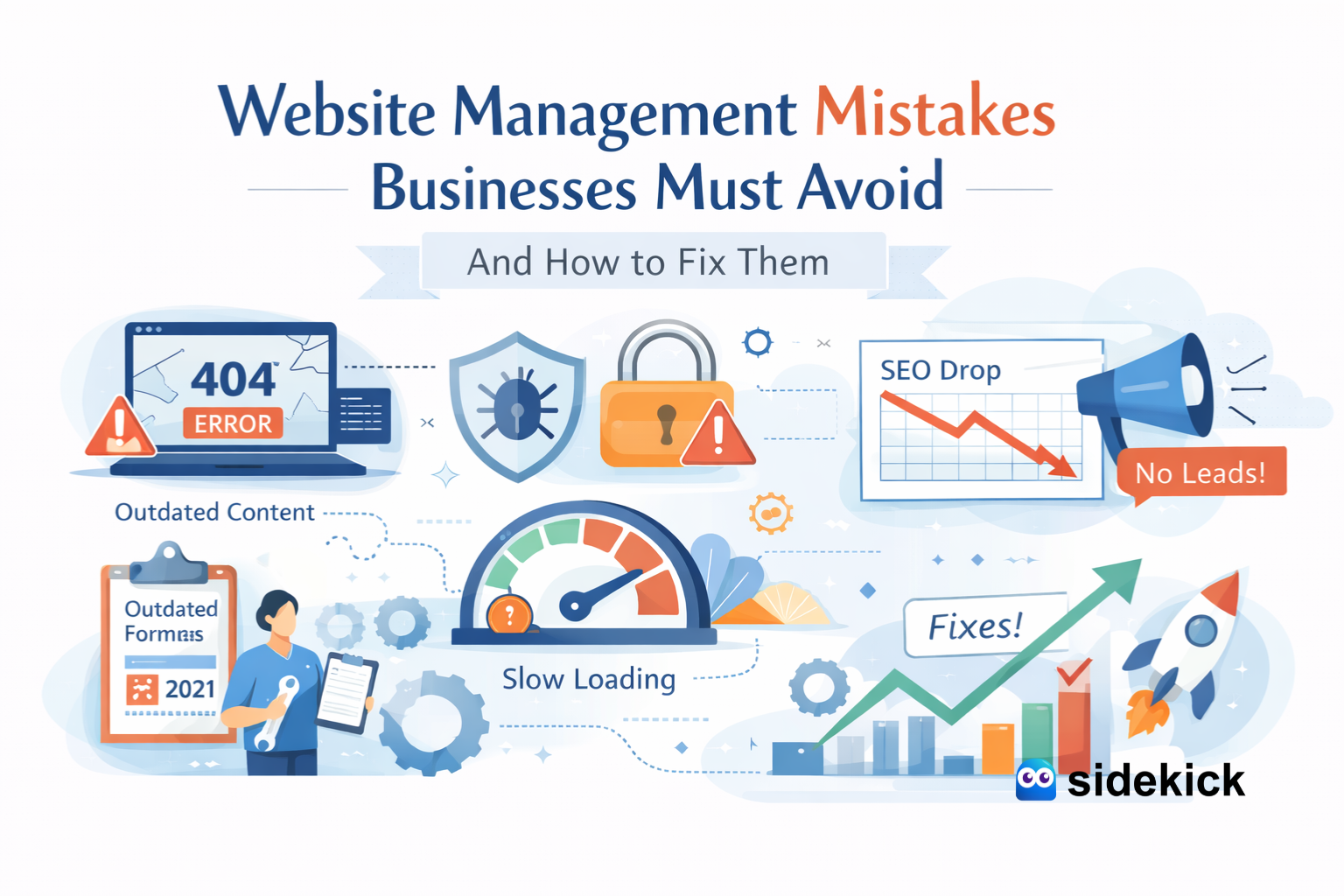
The biggest website management mistakes businesses must avoid are skipping regular updates, ignoring security basics, letting site speed slip, and treating SEO + marketing like a “one-time setup.” A modern site needs ongoing Website Maintenance Service, performance monitoring, content updates, and conversion-focused improvements—otherwise you risk downtime, lost leads, lower Google visibility, and expensive security incidents. (Sidekick helps businesses handle all of this with a clear monthly system.)
Table of Contents
- Quick Answer
- Introduction: Website Management Mistakes Businesses Must Avoid
- Why website management matters more in 2026
- Mistake #1: Treating the website as “done” after launch
- Mistake #2: Skipping updates (plugins, themes, CMS)
- Mistake #3: Weak security basics
- Mistake #4: No reliable backups
- Mistake #5: Ignoring site speed
- Mistake #6: Doing SEO once, then stopping
- Mistake #7: Not tracking conversions
- Mistake #8: “Set and forget” marketing + SMO
- Mistake #9: Poor mobile experience
- Mistake #10: Broken forms and dead CTAs
- Mistake #11: Bad content structure
- Mistake #12: No trust signals
- USA case study (Realistic Example)
- The business benefits of avoiding these mistakes
- The Sidekick approach
- Quick “do this now” checklist
- Final thoughts
Introduction
A website is not a poster on a wall. It’s a living system your sales rep, support desk, and brand first impression running 24/7. For many US businesses, the website is the #1 source of leads, bookings, demo requests, calls, and trust.
And yet, most “website problems” don’t happen because the business is careless. They happen because owners are busy. The site gets built, it looks fine, and then life moves on. Six months later: plugins are outdated, pages load slowly, SEO rankings drop, forms stop working, and the team only notices when revenue is already impacted.
This guide covers the most common website management mistakes businesses must avoid, plus practical fixes you can apply immediately. I’m writing this as a services provider (Sidekick), so I’ll also show where a managed approach saves time and reduces risk.
Why website management matters more in 2026 (SaaS + digital reality)
The SaaS economy and cloud adoption keep accelerating, and that changes customer expectations. People expect fast sites, clean UX, strong security, and instant credibility. Gartner forecasted worldwide public cloud end-user spending to rise from $595.7B in 2024 to $723.4B in 2025, showing how quickly businesses are shifting to always-on digital operations.
At the same time, security and trust are more expensive than ever to lose. IBM reported the average global cost of a data breach reached $4.88M (Cost of a Data Breach 2024). So yes, website management is now a growth function, not just an “IT thing.”
Mistake #1: Treating the website as “done” after launch
What happens: The business launches the site, celebrates, then ignores it until something breaks.
Why it hurts:
- Content becomes outdated (“2023 pricing,” old team members, expired offers)
- SEO slows because freshness and usefulness decline
- Broken elements creep in (forms, tracking, links)
Fix: Put your website on a monthly rhythm:
- Update core software + plugins
- Review top pages + conversion paths
- Refresh one key page or article every month
This is exactly what a structured Website Maintenance Service should include.
Mistake #2: Skipping updates (plugins, themes, CMS, dependencies)
This is one of the most common causes of website hacks and weird site behavior.
Reality check: WordPress vulnerabilities are constantly disclosed, especially in plugins/themes. Wordfence regularly publishes vulnerability research and reports, and the flow of disclosed issues is ongoing.
Fix:
- Update monthly (or weekly for high-traffic sites)
- Remove unused plugins/themes
- Keep a staging environment if possible
A good Website Maintenance Service also tests updates safely so you don’t “fix security” and accidentally break the site.
Mistake #3: Weak security basics (or no security plan at all)
Security isn’t only for banks. If you collect leads, emails, payments, or customer messages, you’re a target.
What gets missed:
- No WAF / firewall rules
- Weak admin passwords / no MFA
- Too many admin users
- No login monitoring
- No security hardening
Why it matters: The financial impact of breaches is serious—IBM’s Cost of a Data Breach 2024 puts the global average at $4.88M. Even if your business impact is a fraction of that, the downtime + cleanup + reputation hit is painful.
Fix checklist:
- MFA for all admins
- Daily malware scanning (or at least weekly)
- Least-privilege user roles
- Security headers + HTTPS everywhere
- Audit admin accounts monthly
Mistake #4: No reliable backups (or “backups” that can’t restore)
Many businesses say “we have backups,” but they’ve never tested a restore. That’s like owning a fire extinguisher you’ve never checked.
Fix:
- Automated daily backups (files + database)
- Keep offsite copies
- Test restore quarterly
A quality Website Maintenance Service includes restore testing, not just backup creation.
Mistake #5: Ignoring site speed (until conversions drop)
Speed is not a vanity metric. It directly impacts conversion. Portent’s research showed conversion rate can vary significantly with load time—e.g., their example shows much stronger outcomes around 1 second vs slower load times. Google also emphasizes user experience metrics via Core Web Vitals, and recommends achieving good CWV for success with Search and overall user experience.
Fix:
- Compress images + use modern formats
- Use caching + CDN
- Remove heavy scripts you don’t need
- Track CWV (LCP/INP/CLS) monthly
- Optimize mobile first
This is a core part of Sidekick’s managed performance + Website Maintenance Service approach: keep the site fast, not “fast once.”
Mistake #6: Doing SEO once, then stopping
SEO isn’t a checkbox. Google changes, competitors publish, and search intent shifts.
Common “silent SEO killers”:
- No internal linking strategy
- Duplicate or thin pages
- Outdated service pages
- No local SEO signals (if you serve specific US cities)
- Old blog posts that never get refreshed
Fix (simple monthly SEO cadence):
- Update one existing high-traffic page/month
- Add internal links from new content → service pages
- Improve titles/meta for top pages
- Publish 1 helpful post/month that supports a service page
When your Website Maintenance Service includes SEO monitoring, you catch drops early instead of “six months later.”
Mistake #7: Not tracking conversions (or tracking the wrong things)
Traffic is not the goal. Leads and revenue are the goal.
What gets missed:
- Form submissions not tracked
- Phone clicks not tracked
- Calendly/booking completions not tracked
- No event tracking for key CTAs
Fix:
- Set up GA4 events for lead actions
- Track calls, form submits, demo/bookings
- Track source by channel (SEO, paid, social, referrals)
- Review a simple monthly dashboard
This connects directly to marketing and SMO (social media optimization): when you know which content and platforms drive leads, you post smarter.
Mistake #8: “Set and forget” marketing + SMO
A strong site needs consistent distribution. Many businesses post on social randomly, or only when they remember.
Fix:
- Build 3–5 repeatable content pillars (FAQs, case studies, behind-the-scenes, tips, offers)
- Every post should lead somewhere (service page, lead magnet, booking page)
- Make sure landing pages match your posts (same offer, same message)
Sidekick often pairs website management services + SEO + SMO so the site and social actually work together (instead of social sending people to slow or confusing pages).
Mistake #9: Poor mobile experience
Most US customers browse on mobile. If your site feels clunky on mobile, you lose trust fast.
Fix:
- Test mobile weekly (homepage, service page, contact page)
- Make buttons thumb-friendly
- Keep forms short
- Use sticky CTA if it fits your business (call, quote, book)
Mistake #10: Broken forms, dead CTAs, and “invisible” lead leaks
This is the most expensive kind of mistake because it looks like “business is slow,” when actually leads are failing silently.
Fix:
- Weekly form test (submit + confirm email + CRM entry)
- Add uptime + form monitoring
- Keep a backup contact method visible (phone + email)
A proactive Website Maintenance Service includes monitoring so you don’t discover failures after losing weeks of leads.
Mistake #11: Bad content structure (confusing pages)
A lot of sites have pages, but not a clear path: Who is this for? What do you do? Why should I trust you? What should I do next?
Fix (high-converting service page structure):
- Clear headline + outcome
- Proof (logos, numbers, testimonials)
- What’s included (bullets)
- Process (3–5 steps)
- FAQs
- CTA repeated 2–3 times
This is where “website design” and “website management” meet: design is the foundation, management is the ongoing improvement.
Mistake #12: No trust signals (or outdated trust signals)
US buyers expect proof. If your site doesn’t show credibility, you’ll lose to a competitor who does.
Add these:
- Real testimonials + names (where possible)
- Case studies (even 2–3 strong ones)
- Clear guarantees or support promise
- About page that feels human
- Certifications/partners (if relevant)
USA case study (Realistic Example)
To keep this factual and useful, here’s a modeled US case study based on widely reported relationships between speed, UX metrics, and conversions.
Business
A US-based home services company (multi-city) with a WordPress site running several plugins.
Problems found (typical)
Site load time drifting slower due to uncompressed images + extra scripts, Core Web Vitals not monitored, Plugins not updated regularly, No monthly SEO refresh routine, Forms occasionally failing after updates.
What they changed (a managed approach like Sidekick)
Implemented monthly Website Maintenance Service (updates, backups, monitoring), Compressed and replaced heavy images + enabled caching/CDN, Removed unused plugins and tightened admin access, Added conversion tracking (calls, forms, bookings), Refreshed top 5 service pages + internal links from blog posts.
Results over ~90 days (directionally realistic)
Faster pages and better UX aligned with what Google recommends via Core Web Vitals guidance. Conversion improvement consistent with research showing slower load times reduce conversion rates. Lower risk exposure by staying updated and monitoring vulnerabilities (common plugin/theme risk surface).
Simple growth “chart” (illustrative)
Leads per month (before → after)
Month 1: ████████ (baseline)
Month 2: ██████████
Month 3: ████████████
The key takeaway: most growth didn’t come from “magic marketing.” It came from removing friction, keeping the site healthy, and making SEO + tracking consistent.
The business benefits of avoiding these mistakes
When you manage your website properly, you usually get:
- More leads from the same traffic
- Better Google visibility over time
- Lower security risk and fewer emergencies
- Faster page speed and stronger brand trust
- Clearer marketing performance (SEO + SMO ROI is easier to see)
The Sidekick approach (what we do as a service provider)
At Sidekick, we treat your website like an operating system for growth—built on three pillars:
- Website Maintenance Service (monthly): updates, backups, security checks, monitoring
- Performance + UX: speed, Core Web Vitals, mobile experience, conversion flow
- Growth support: SEO improvements, content refresh, tracking, and SMO-ready landing pages
So instead of reacting to problems, you prevent them—and your site keeps getting better.
Quick “do this now” checklist
If you only do 10 things this month, do these:
- Update CMS + plugins/themes
- Remove unused plugins
- Turn on MFA for admins
- Set daily backups + test restore
- Test your contact forms
- Check site speed + CWV
- Fix top 10 broken links
- Refresh your main service page copy
- Add 3 trust signals (testimonials, numbers, logos)
- Set up conversion tracking (forms/calls/bookings)
Final thoughts
Most website management mistakes are not dramatic. They’re quiet. But they compound—until rankings drop, leads slow down, or security becomes a real problem. In a SaaS-driven, always-on market, consistency wins.
If you want a team to handle it end-to-end, Sidekick is built for exactly this: reliable Website Maintenance Service, faster performance, stronger SEO, and marketing-ready pages—without the stress of managing ten tools and vendors.